
Codex Switch to Cloudwise MaaS Models
Register Cloudwise MaaS as a custom provider in cc-switch, enable it, and route Codex — desktop and CLI — through a single Chat Completions endpoint
This guide follows the official Cloudwise walkthrough: download Codex, download cc-switch, register CloudWise MaaS as a custom provider (Chat Completions, routing required), then enable it and restart Codex. If you use Codex CLI, the flow is identical — just restart the codex command.
Table of Contents
1. Download Codex
Download and install Codex from the official OpenAI page: https://openai.com/zh-Hans-CN/codex/.

2. Download cc-switch
Get the latest cc-switch release from GitHub: https://github.com/farion1231/cc-switch/releases.
cc-switch lets you register multiple LLM providers and switch between them for Codex, Claude Code, and other compatible tools.
3. Configure a New Provider for Codex — Cloudwise
Open cc-switch, go to the Codex tab and add a new provider using the Custom Configuration option. Fill in the form with the values below.
| Field | Value |
|---|---|
| Provider Name | CloudWise MaaS |
| Website URL | https://maas.cloudwise.ai |
| API Key | sk******* (your Cloudwise MaaS API key) |
| API Request URL | https://api.cloudwise.ai/api/v1 |
| Upstream Format | Chat Completions (routing required) |
| Supports Thinking Mode | Choose per model — all GPT models are supported. |
| Supports Reasoning Effort | Choose per model — all GPT models are supported. |
| Model Mapping | Select the model you actually want to use. |
| Save & Enable | Save the provider and enable it. |
Launch cc-switch. Switch to the Codex tab so the provider you create is scoped to Codex.
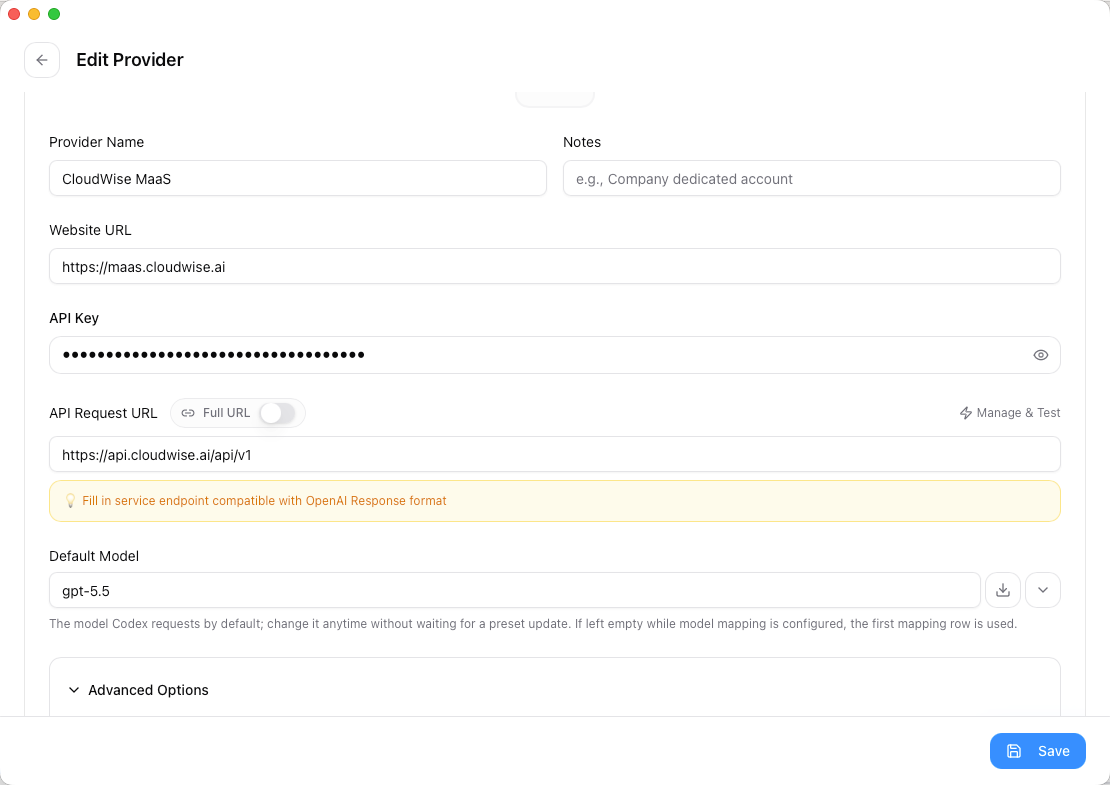
Click Add Provider, choose Custom Configuration, and fill in the fields exactly as shown in the table above.
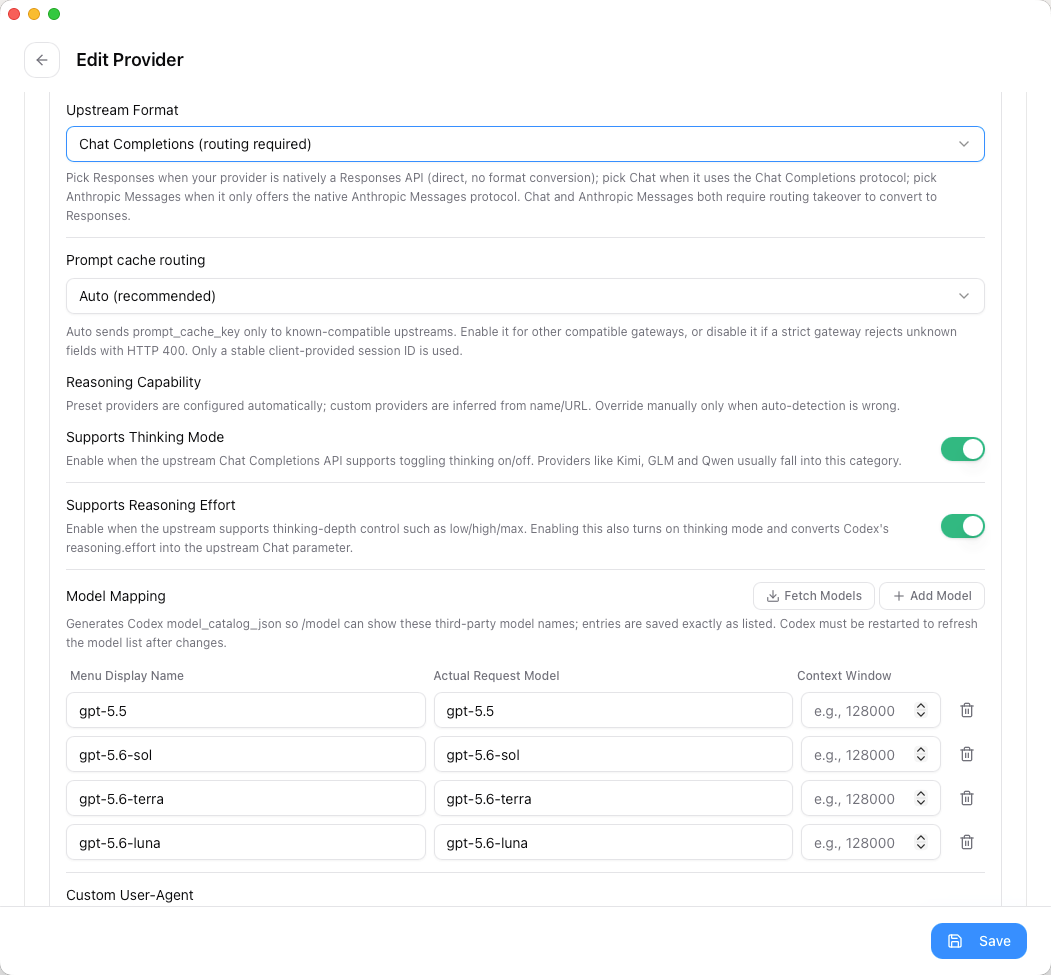
Important: the API Request URL must end with /api/v1 and Upstream Format must be Chat Completions (routing required). Any other value will cause Codex to hit the wrong endpoint.
4. Use Codex
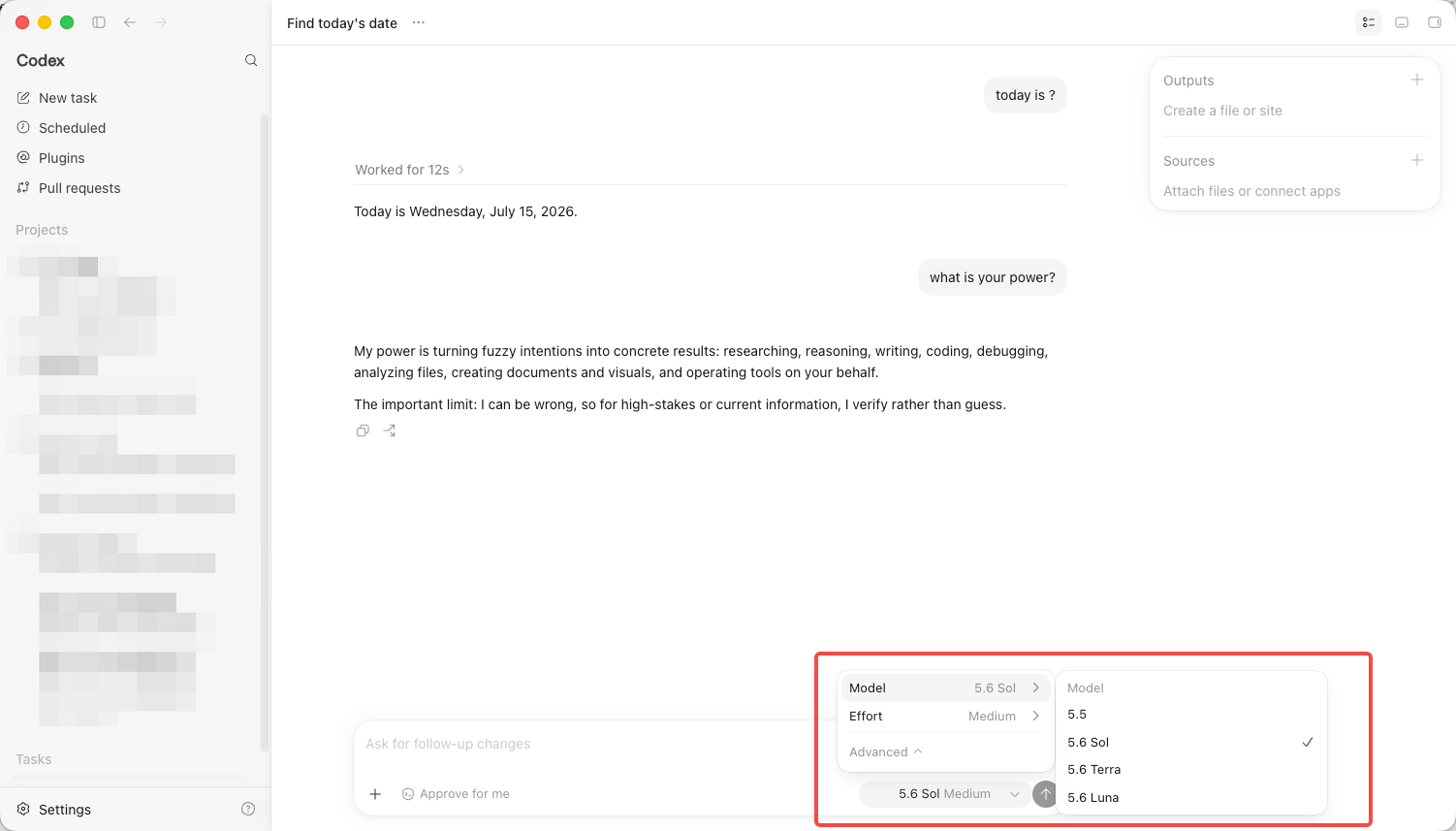
In cc-switch, Enable the custom Cloudwise provider, then restart Codex. All Codex requests will now be routed through Cloudwise MaaS.
Back on the Codex tab, toggle the CloudWise MaaS provider to Enabled. The active provider is highlighted in the list.
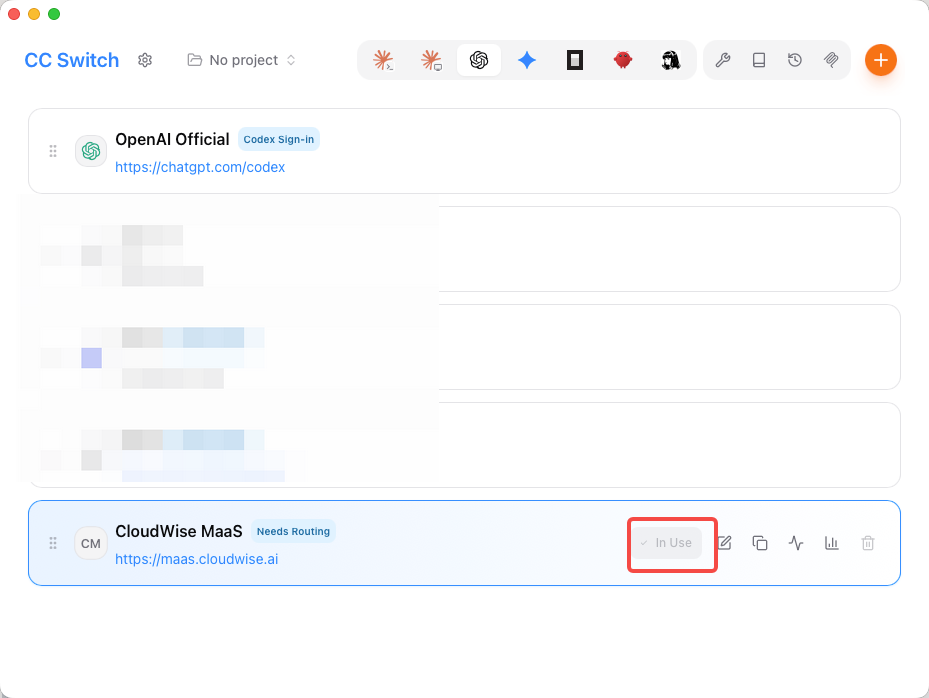
Fully quit and relaunch Codex so it picks up the new provider written to ~/.codex/config.toml.
Note
If you are using Codex CLI, the configuration is identical — you only need to restart the codex command in your terminal for the new provider to take effect.