
OpenHuman Quick Switch to Cloudwise MaaS
Install OpenHuman and connect to 570+ AI models including GPT, Claude, Grok, and more through OpenAI-compatible API
OpenHuman is a powerful AI coding assistant that supports multiple LLM providers. Through Cloudwise MaaS, you can easily connect OpenHuman to 570+ AI models including GPT, Claude, Grok, Doubao, Qwen, GLM, Kimi, and more via OpenAI-compatible API.
Table of Contents
Install OpenHuman
Download from the official website or install via terminal command.
Official Download: https://tinyhumans.ai/openhuman
# Download DMG, EXEs over at https://tinyhumans.ai/openhuman
# or run from your terminal

# For macOS or Linux x64
curl -fsSL https://raw.githubusercontent.com/tinyhumansai/openhuman/main/scripts/install.sh | bash

# For Windows
irm https://raw.githubusercontent.com/tinyhumansai/openhuman/main/scripts/install.ps1 | iex
Configure Cloudwise MaaS
After installation, configure OpenHuman to use Cloudwise MaaS as the LLM provider. Enter the following settings:
| Field | Value |
|---|---|
| Provider slug | OpenAI |
| Display label | Cloudwise |
| Endpoint | https://api.cloudwise.ai/api/v1 |
| API key | Your Cloudwise API Key (e.g. ak_****) |
Click Save to apply the configuration. You can then select any model available through Cloudwise MaaS.
Navigate to the provider settings and fill in the Cloudwise MaaS details.
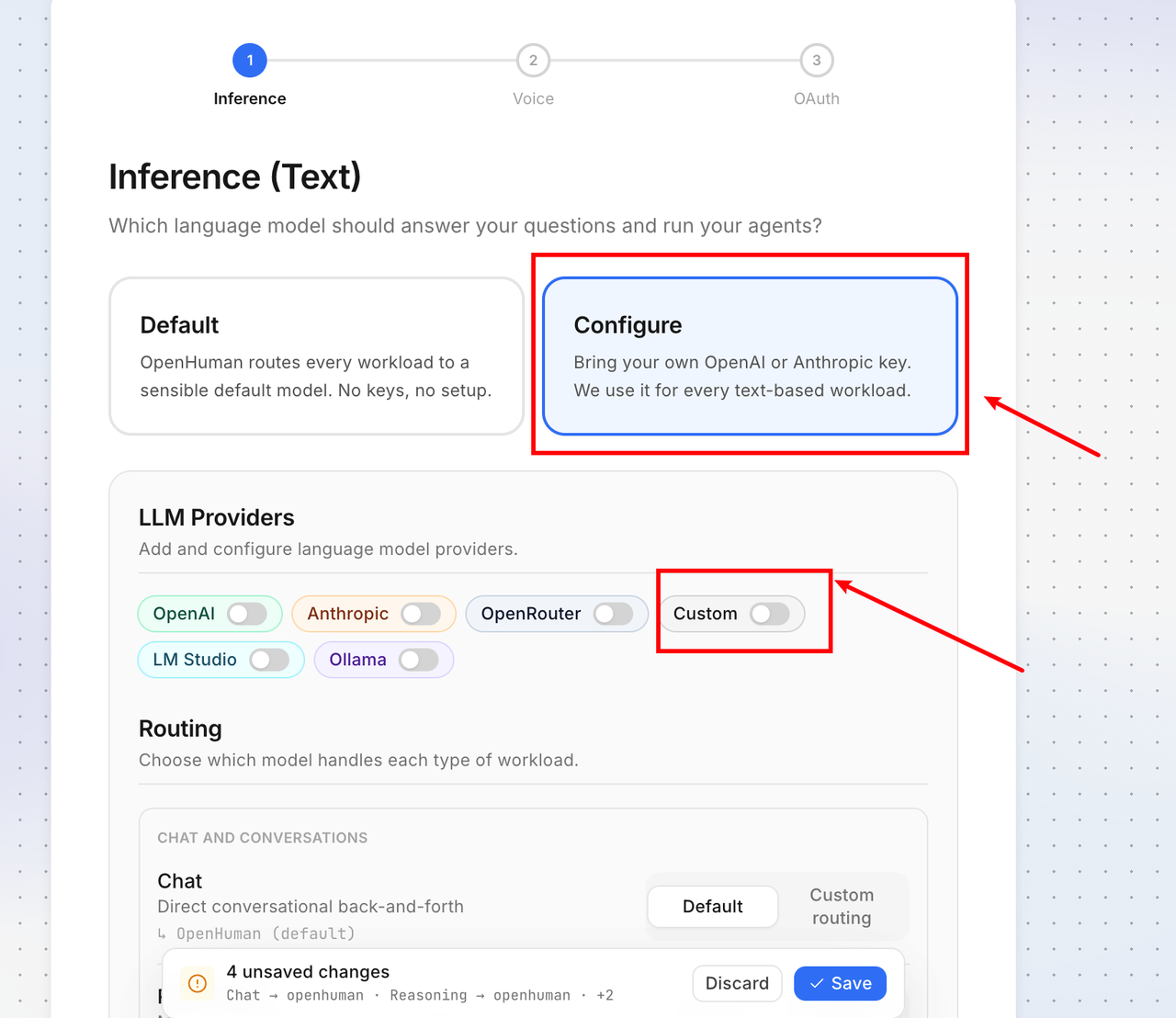
Set the endpoint to https://api.cloudwise.ai/api/v1 and paste your API key.
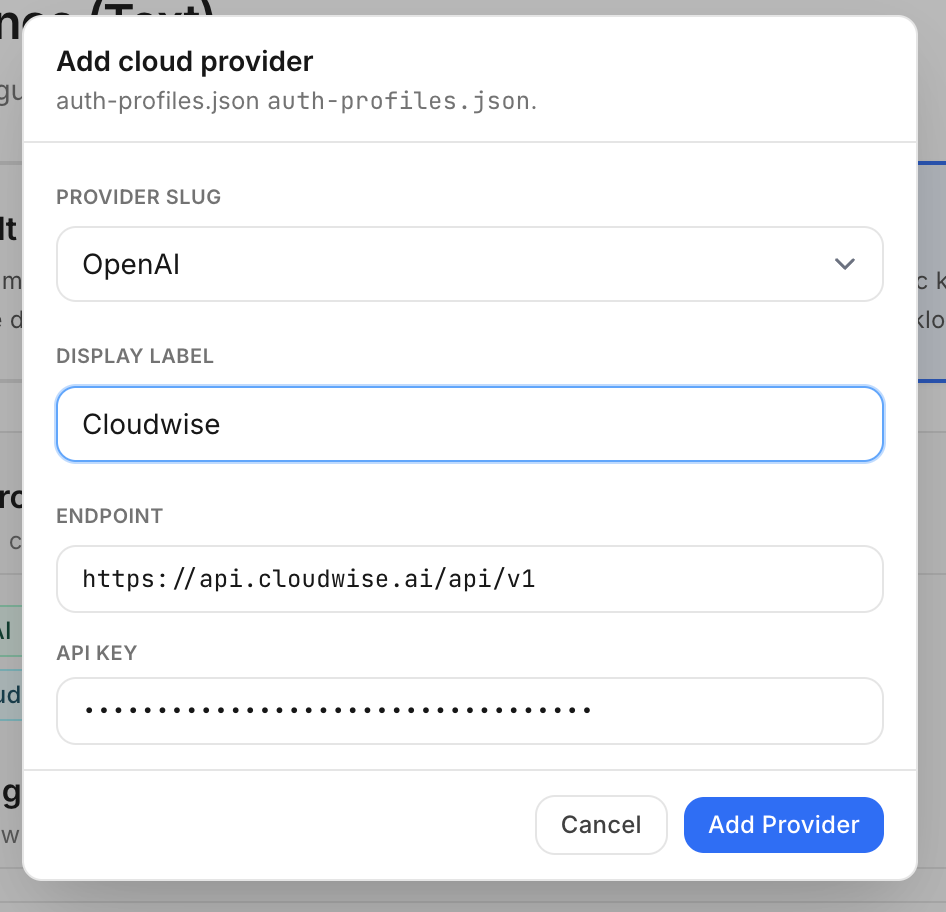
Click Save, then select the desired model from the model list. The model list is continuously being expanded.
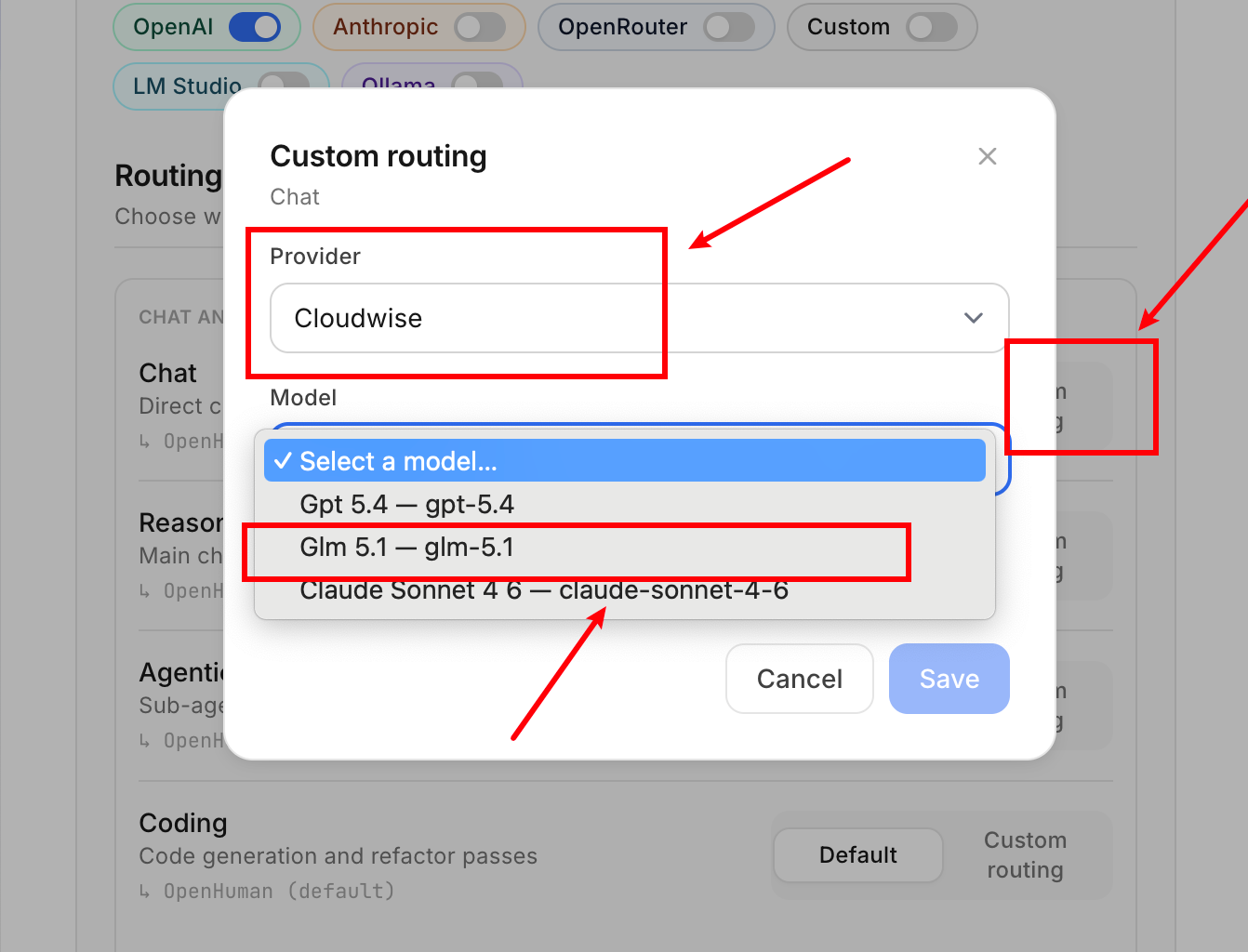
The model list is continuously being updated. More models will be available over time.
Switch Existing Installation to MaaS
If you already have OpenHuman installed and want to switch to Cloudwise MaaS models, follow these steps:
Navigate to: Settings → Advanced → AI Configuration → LLM
Then configure the same provider settings as described in Step 2 above.
Go to Settings in OpenHuman.
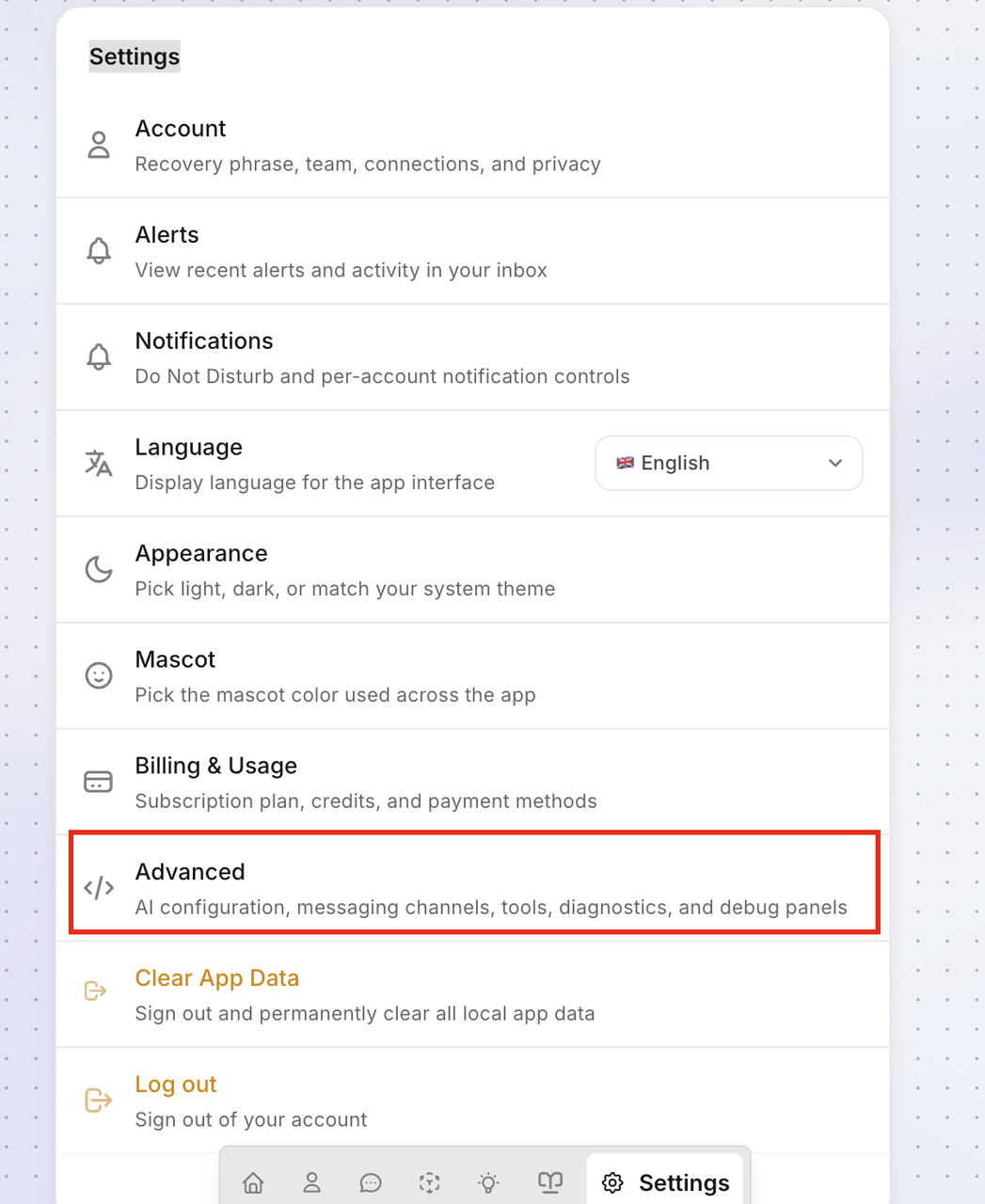
Select Advanced → AI Configuration → LLM.
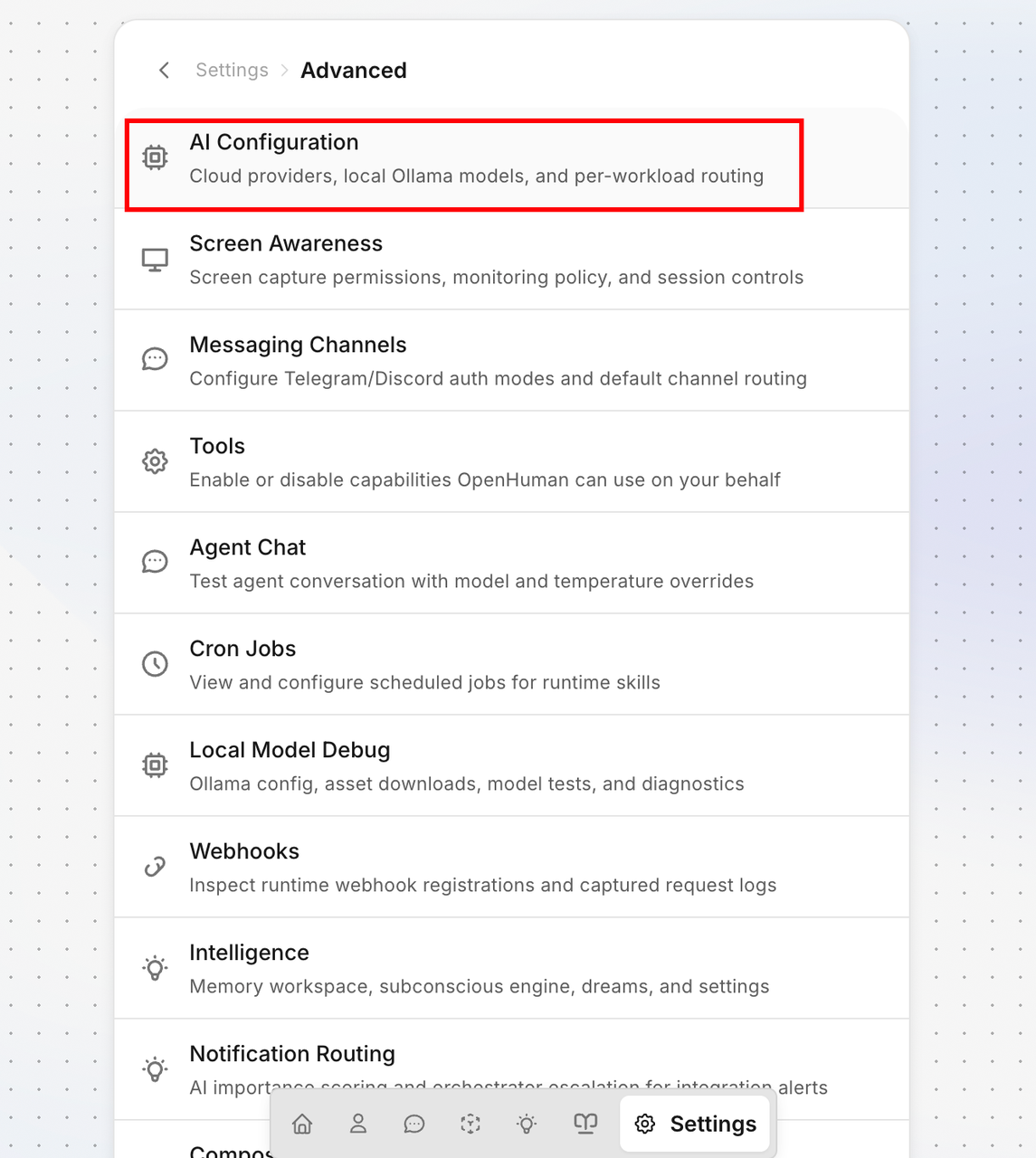
Enter the Cloudwise MaaS provider details (same as Step 2).
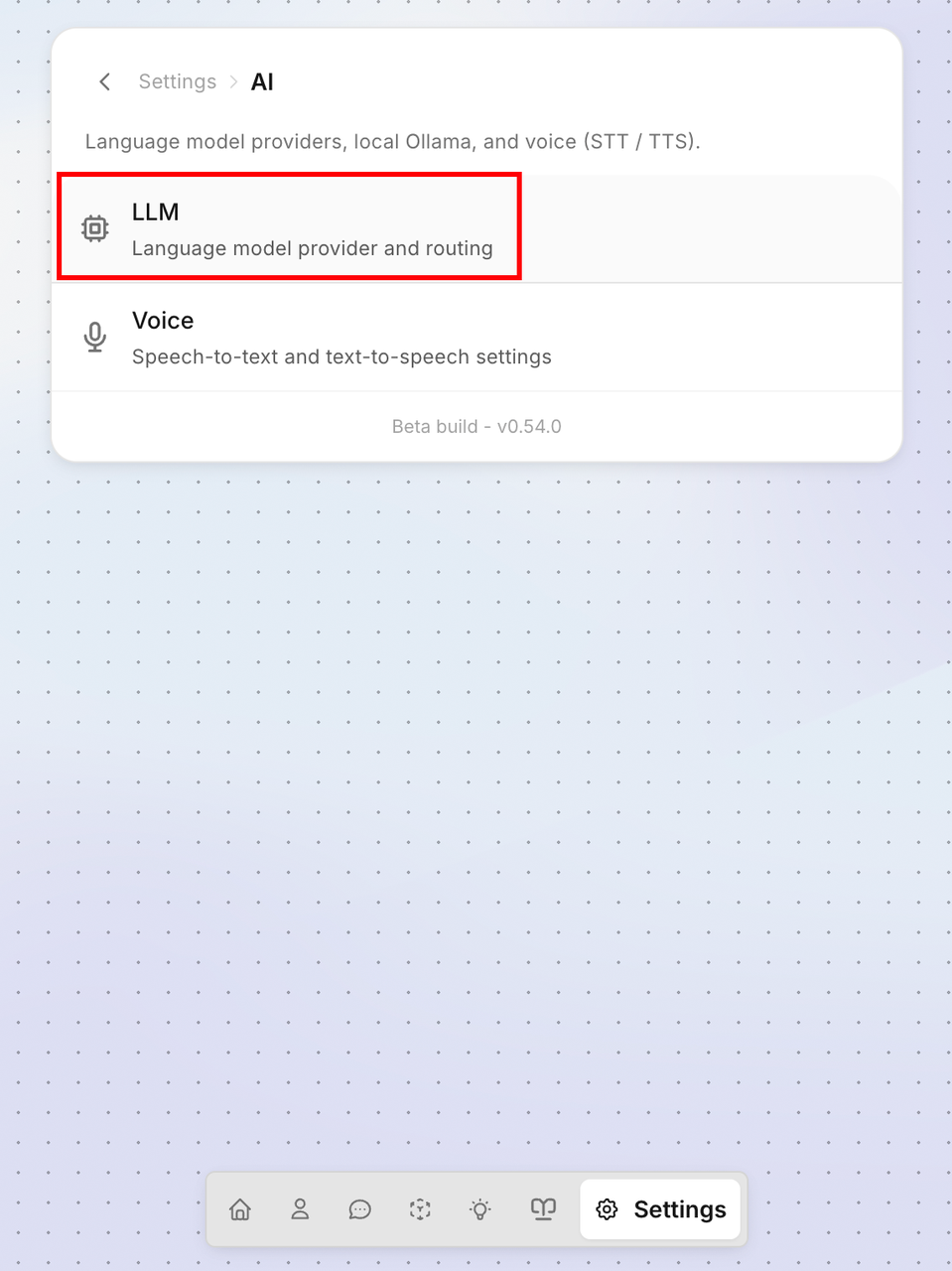
Start a chat to verify the model is working correctly with Cloudwise MaaS.
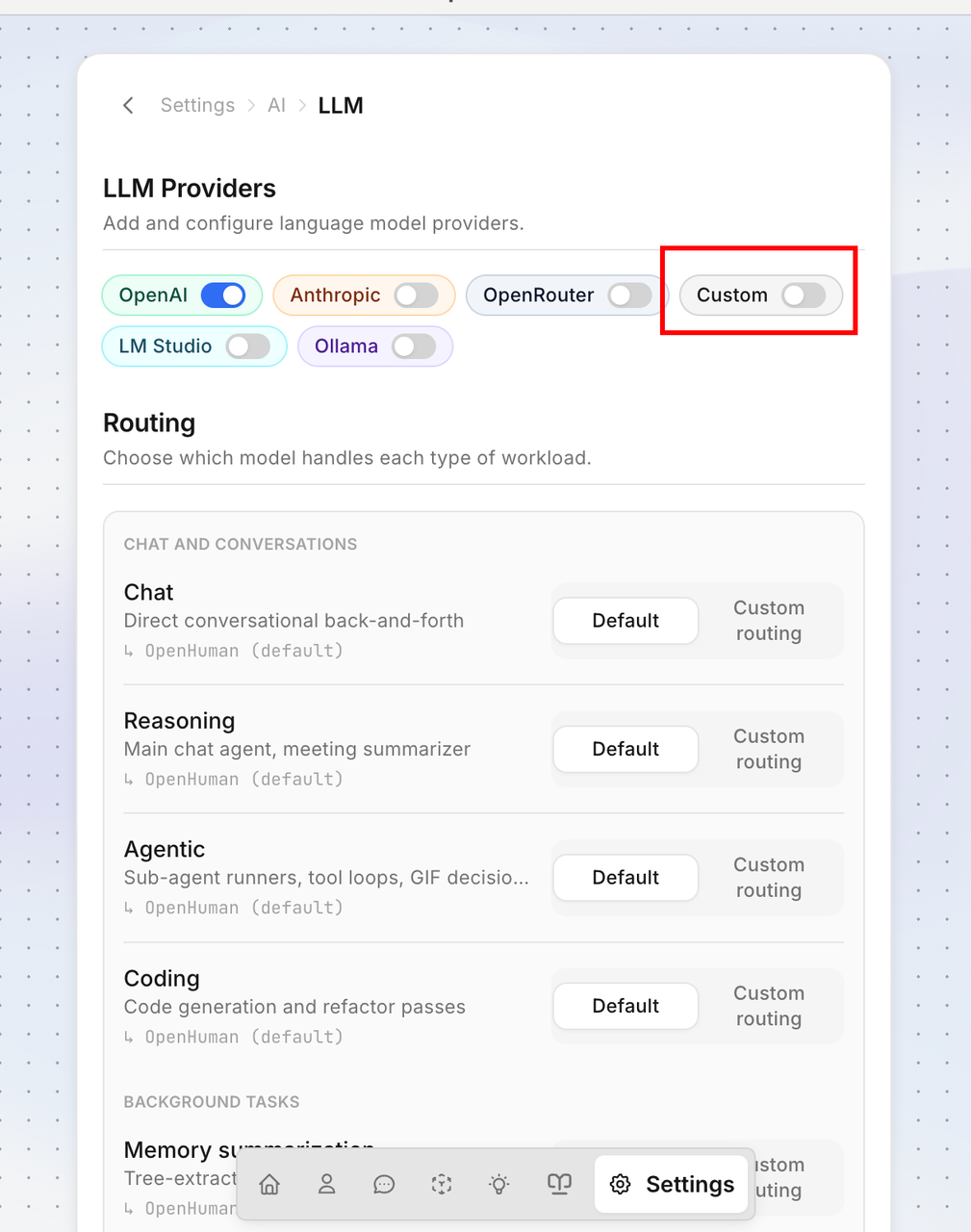
Summary
You have now successfully configured OpenHuman to use the Cloudwise MaaS platform. You can access 570+ AI models including GPT, Claude, Grok, Doubao, Qwen, GLM, Kimi, and more through a single OpenAI-compatible API endpoint.
If you encounter any issues, verify that your API key is correct and the endpoint is set to https://api.cloudwise.ai/api/v1. Contact support if problems persist.